Showing posts with label iphone. Show all posts

7.26.2011

week in the life {monday ~ july 25}

and so the week begins...


Week in the Life

as most weekday mornings begin, i rose at 5:00 a.m. at the sound of my alarm. after showering, i enjoyed about thirty minutes of quiet time/bible study. i prepared for the work day and coleman finally woke around 6:30 (this is actually late for him). i woke matt up so i could head out the door. i try to get an earlier start on the days when matt is home with the boys.
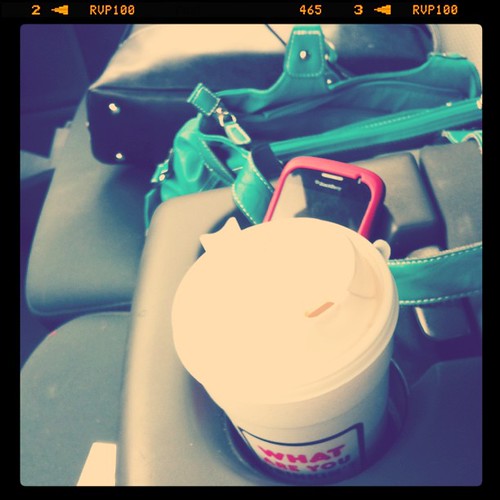

Monday: commute + coffee

i drove matt's truck to work because my car had yet another flat tire. i feel at home in my car. i love my car. i would rather drive my car. possibly feeling inspired by a different set of wheels, my commute was a tad different as well. i bypassed my normal exit onto the interstate so i could stop at dunkin donuts for some coffee. then i decided to take I-485 to I-77, which I never normally do. oh yes, i am living on the wild side!
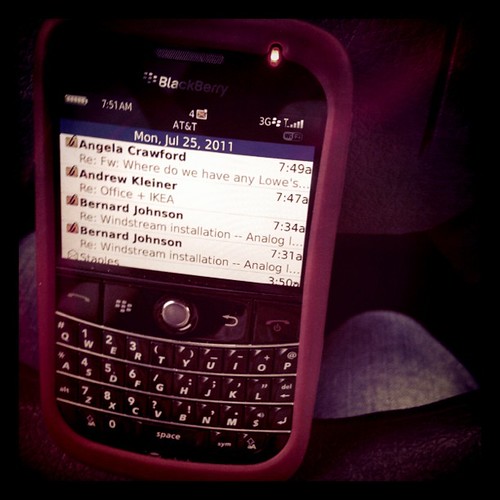

Monday: the blackberry

plenty of early morning emails start flowing onto my blackberry. i know i shouldn't look at them while i'm driving, but with an hour commute, it's hard not to find ways to entertain yourself. and yes, i have two phones: a blackberry for work and my personal iphone.
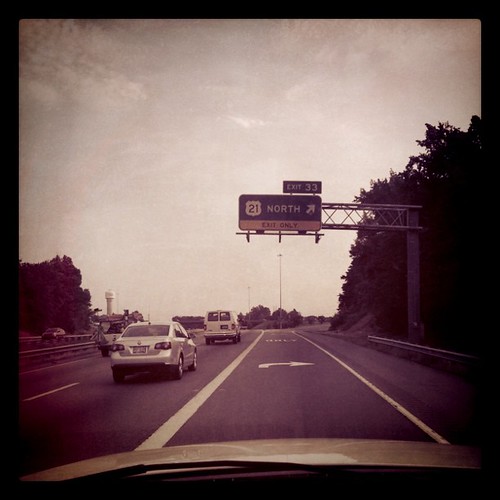
Monday: the exit

exit 33 ... mooresville, nc. that's me. everyday...over sixty miles. each way. yes, i'm crazy. i actually spent more time than usual in the car because later in the day i had to drive up to the lowe's planogram facility, which is located north in troutman, nc...even farther from home!
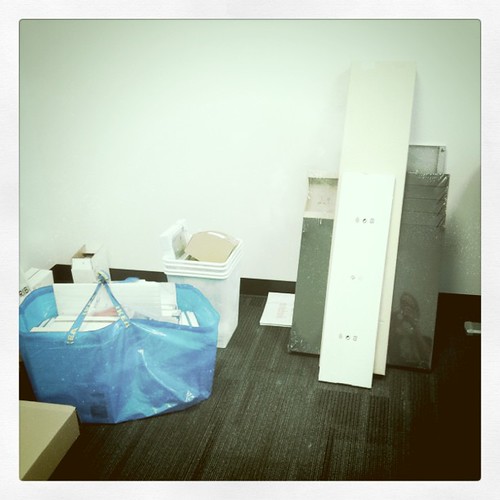
Monday: IKEA loot for new office

even though i drove matt's truck mainly due to my flat tire, i needed to drive it anyway. over the weekend, we went to ikea and bought some stuff for my office. part of the loot is pictured. we have a lot of work to do!
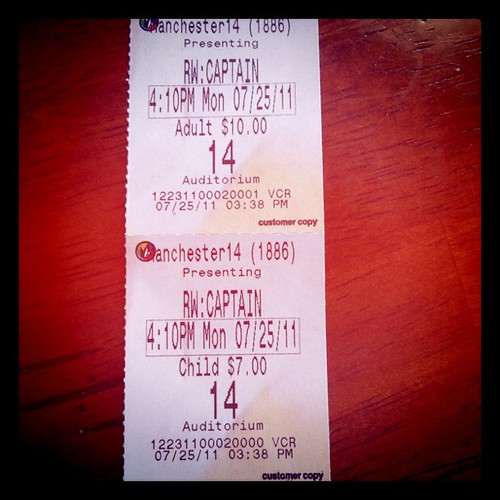
Monday: Matt & Spencer caught the matinee show of Captain America

matt and spencer went to the movies...they caught the matinee showing of  captain america. they both seemed to enjoy it. we do not go to the movies often, so i was a bit shocked when i saw the cost!

Monday: yet another unhealthy lunch. I gotta get my act together.

i must sadly confess that i caved in and got mcdonald's for lunch. i didn't pack anything. it was late and i was starving. i had to drive up to the POG facility...so i went for easy. i have got to get my act together!
Monday: yucky traffic

traffic...always traffic. story of my life.
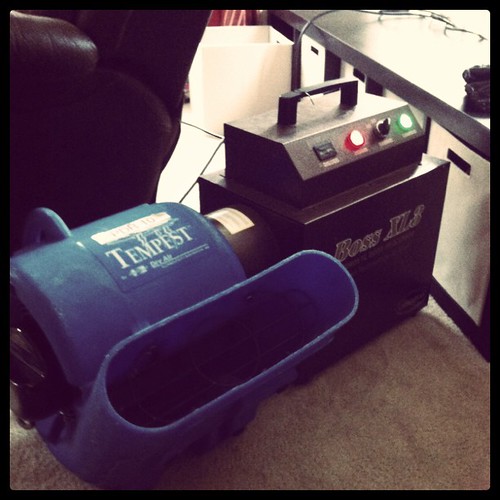

Monday: hydroxyl - trying to salvage our house

and when i got home... this is our new best friend. it's a big loud machine that sucks the yuckiness out of the air. after our "almost" house fire, everything stinks. bad. thankfully, sister sherry was able to hook us up with this for free. yippee!!!

Monday: Coleman enjoying the big fan

coleman quickly learned that the big machine was kind of fun. getting him to not touch it...a bit trickier.
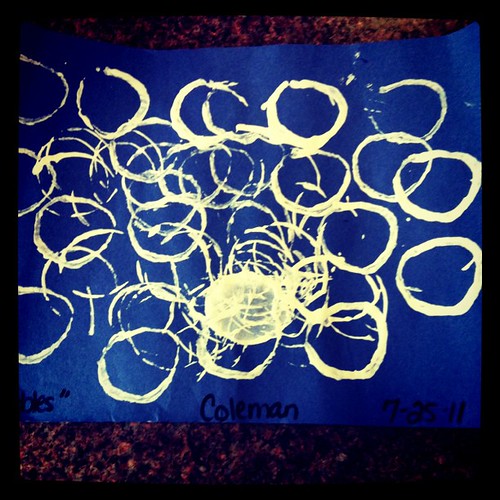

Monday: Coleman's "bubble" artwork from daycare

and some cool artwork that coleman brought home from aj's. this wasn't one of his normal days to go since matt was off, but since matt obviously had a crapload of not-so-fun things to take care of (due to flat tires and almost house fires)...coleman was much better off at daycare.
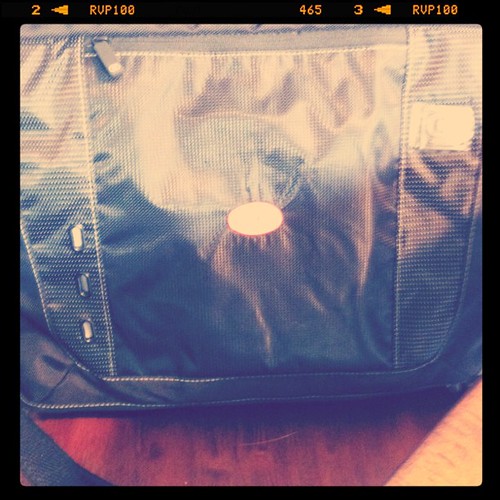

Monday: got this new mack daddy laptop bag from work. It's not exactly winning any cute awards but *dang* it holds a lot of stuff!!

we got some surprises packages at work. we were each provided some henkel gear, including a rolling duffle bag and a mac daddy laptop bag (pictured). i've needed a new laptop bag in a serious way!!! my junk wouldn't fit into my old one...this new one is huge! and now that it's full....it's also quite heavy!

 *all photos were taken and edited on my iphone with the instagram app

***********************
week in the life 2011 | july 25-31
 
inspired by ali edwards
***********************

7.25.2011

project {week in the life}

every year, ali edwards does a week in the life project. it's a project she does herself, but she encourages others to participate along with her. i love the concept, as it is a way to really capture the small details of your everyday life... things that might have gone unnoticed or undocumented.


i often think of how cool it would be to have something like this from my mom when she was my age. or better yet, my grandmothers. as you are thinking of your possibly mundane daily activities, think of it from the perspective of future generations that will be completely fascinated by these aspects of our lives!

so anyway... last year, i tried to participate for the first time. i had a great time collecting notes and information and taking photos. and that was it. i must sadly confess that i never did anything with the things i collected. the pile of memoriabilia, notes, etc...all sat on my scrapbooking desk for over a year before i finally came to terms with the fact that nothing was going to come of them.

as i began reading the preparation posts on ali's blog this year, i kept telling myself to be realistic and know that i couldn't complete this project. i'm actually in an even worse place this year than last year because my scrapbooking room is in complete disarray as we try to do some reorganizing. paper scrapbooking isn't really an option this week, or next, or the next (ok, you get the point).

but i brainstormed some easier ways to take part and this morning on the way to work (the morning the project begins), i decided i will participate. to keep the concept completely doable for me, it's going to be 100% digital. i'm going to take all of my photos using the instagram app on my phone (with which i'm completely obsessed). i will do one daily post here on my blog with lots of words to go with the lots of photos.

Week in the Life

one day, i may print those photos and words. but maybe not. and that's ok.

so be prepared for a lot of details in the coming days...maybe more than you care to see or read.

***********************
week in the life 2011 | july 25-31
inspired by ali edwards
see all of ali's week in the life related posts
***********************

8.15.2010

app {ps mobile}

i thought i'd share my favorite new app... it's photoshop mobile!! it lets you do all sorts of cool stuff to photos on your phone. i haven't had it long, but here are a few recent shots that i've edited using this totally free app!! i know there are other options available for photo editing on your phone, but this one is very easy to use (and did i mention it's free???).

you can crop, change exposure, saturation, tint, and contrast.
100807 Coleman in yard 02 - edit
you can convert to black and white with one touch.
100808 Picnic at Fewell Park 40 - edit

there is a cool sketch feature, and soft focus, and sharpen. plus lots of very nifty effects.
100619 Bowater Park 29 - Coleman EDIT

and then you can finish it off with border options.
finally, you can save it, and even post it to twitter or facebook.

Photobucket

7.03.2010

Bible App

i started on the journey back in january. with daily readings, i realized that it'd be a bit easier if The Bible was a bit more portable. i'm not sure what made it "click" but at some point i decided to see if there really is "an app for everything". sure enough, i found a free Bible app. matt and spencer think it's weird that i sit and read the Bible on my phone. but, i'm pretty sure God doesn't care :) i just read an article in our local paper about how popular technology has become in religion.


the app i downloaded is from YouVersion. i had never gotten an email from this company until today. and it was cool. people have spent two billion minutes reading the Bible through their app. that's the same as 38 centuries or 33 million hours. this is one of those times when technology is definitely doing good things.

anyway...just thought i'd share one of my favorite apps

Photobucket

9.09.2009

whatever wednesday {9.9}

Here are some cool things that have made me happy lately...

  • Kindle on iPhone: One of my favorite money-saving sites (Common Sense with Money) shared that Amazon had free Kindle books. I've always thought Kindle was kind of a cool concept, but I didn't like the idea of the expensive gadget and felt I could never give up real books entirely (making it hard to justify the expense of said gadget). So...this post also happens to mention that you can download a Kindle app for iPhone. I'm so tickled. So, I now have the FREE app and can read Kindle books on my iPhone! And I downloaded six free books. Granted they aren't necessarily ones I'd run out and buy, but like I said...they are FREE. I like the idea because it's an easy way to always have a book with you (particularly handy while travelling).

  • Retail Me Not: The above-mentioned website also shared this site: Retail Me Not. Basically, you should NEVER place an online order without checking here first. They have coupon codes and things of that sort for all sorts of online retailers. I have already used it several times - sometimes I've found things that work, other times not. But it's worth the extra 60 seconds to check. I just saved an additional $5 at Target a few minutes ago.

  • Target: Speaking of Target - a friend let me know that they were having a big baby sale online. If you buy 3 of select items (there are lots of options, not just a few things), you get 20% off. Plus, free shipping on orders over $50. Then I found the additional $5 coupon code. So, I just ordered 3 packs of diapers (72 ct each) and a t-shirt and pair of shorts (Red Sox) for Spencer...all for a whopping $43. Can't beat that with a stick. I think the sale goes through the 13th.

  • Ella Publishing: This is a cute new scrapbooking website. They are a "publishing" company of digital books. They all seem to run about $5-6 each, which is pretty cool. I haven't bought one yet, but I'm sure I will at some point. If nothing else, I'd recommend browsing the site (there are a few freebies) and signing up for their free newsletter. I just got the first one and it was quite enjoyable.

  • Lose It: Several years ago, I lose about 15 pounds just by counting calories. It was slow (a pound a week) and I did not exercise (yes, I know this is bad), but it worked. To aid me in my quest, I used a handy website called FitDay. I honestly couldn't have done it without this easy way of tracking calories. Well....obviously, I've got some baby weight to lose and I've been procrastinating doing anything about it. I was recently flipping through one of the many free baby/parenting magazines that shows up at my house and an article mentioned an iPhone app called Lose It. I downloaded it (it was free!) and it's AWESOME!!! It is just like FitDay but even easier to use AND it's on my phone which means I can enter foods anywhere and everywhere without having to be in front of my computer. So, as of yesterday, I'm officially counting calories. I went over my calorie budget by 102 yesterday, but I still think that's pretty good for the first day :) My main issue was the sausage biscuit from Mickey D's.

7.30.2009

thankful thursday {7.30}

today i am thankful for...

word warp on my iphone

dual action lysol wipes. the scrubby side is perfect for cleaning the high chair

that spencer's teacher from last year gave them a summer reading challenge


james patterson - one of my favorite authors
the family feud calendar on my desk at work - fun, fun.


4.24.2008

{iphone}

so, i finally got an iPhone. my verizon contract was over last thursday. after spending some quality time at the at&t store on saturday afternoon, making sure i was truly in love with this tiny piece of metal, i made the decision. that evening i returned with my hubby and we made our official leap from verizon to at&t. i am now the proud owner of an iphone (and he has a new pantech duo, which is actually pretty cool too).

i know i will learn many more things about my new love (i haven't even read the manual yet), but here is what i love so far:
  • it is as cool and slick as it seems...just a neat thing
  • the perfect multi-tasking device. if i'm listening to music and entering something on my calendar and then the phone rings, the music will stop and the screen will pop up the call for me to answer. as soon as i hang up, music starts back and the calendar is back again. seriously cool.
  • i like that you can jump around the various applications and when you return to one its where you left it (on the same website or note or contact).
  • the touch keypad/keyboard is easier to use than i would've thought
  • the automatic spell check (where it tries to guess what you want to type) is pretty accurate and gets smarter the longer you use it (it remembers words you use frequently).
  • though its larger than a typical cell phone, it's not bulky
  • holds plenty of music, allowing me to no longer have to pare down my playlists (my 2nd gen nano was only 2gb)
  • the notes feature. i think i may be able to 100% replace my planner with this thing!
  • i love being able to have a camera with me at all times. i take my camera a lot places anyway but there are just times/places where my bulky camera isn't practical. this is always practical
to be fair, i will also list what i don't like:
  • the price tag
  • the increase in my monthly phone bill (its not that much just for mine, but with matt's new phone and internet access on it, its a pretty substantial increase)
  • i haven't been successful in getting it to work with my home wi-fi, but will work on that
  • i had connection issues that lasted about 24 hours, but only once so far (internet connection issues only - not phone reception)
  • you can only go to iTunes on a wi-fi connection (not sure why)
  • the camera doesn't have any zoom capabilities (that i have yet discovered)

This was the first photo taken from my iPhone...notice their adorable matching John Deere bandanas!